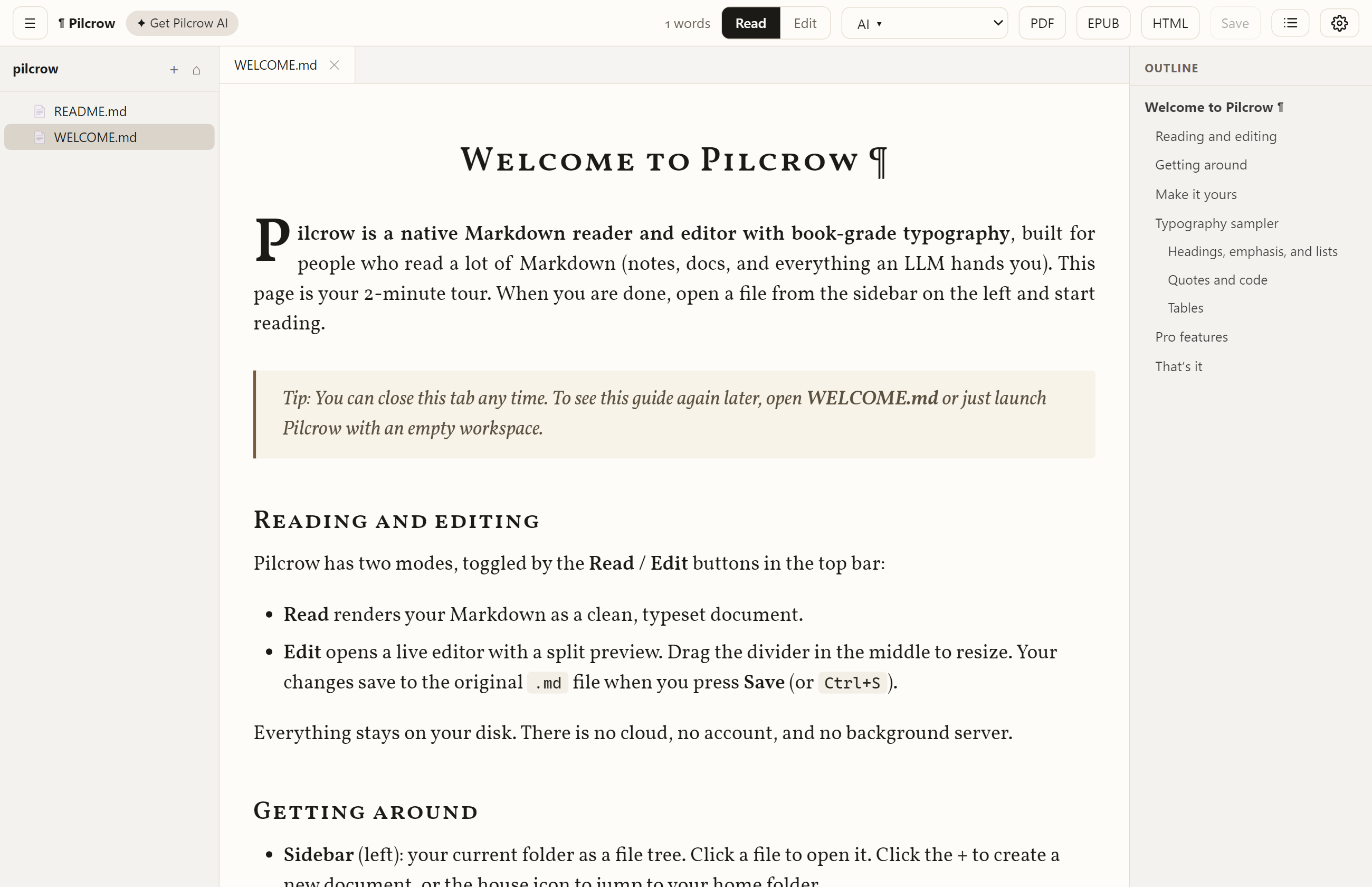
Your LLM hands you walls of Markdown. Read them in book-grade typography, refine them with private on-device AI, and export to PDF, EPUB, or HTML.

Two kinds of people fall in love with Pilcrow.
Developers, researchers, writers, and builders who pull endless Markdown out of ChatGPT and Claude. Stop reading it cramped in a chat sidebar. Pilcrow is your reading room and workbench: gorgeous type, a private AI that improves and summarizes without sending a byte to the cloud, and a place to keep it all.
Draft in plain Markdown, then export a genuinely beautiful PDF or EPUB in real book typography, no $200 tool required. Perfect for nonfiction, guides, docs, and AI-assisted authors who want to ship something that looks typeset, not word-processed.
The Vollkorn book font, drop caps, justified text, and a measured column. Markdown that finally looks like a page, not a textarea.
Flip between a clean reading view and a live split editor with a draggable divider. Save straight to your .md file.
Improve, Rewrite, Expand, Summarize, or turn a draft into notes, running on a local model. Your text never leaves your machine. Cloud models optional.
One click turns your Markdown into a typeset document or a real e-book, in the same beautiful typography you read in.
A file-tree sidebar, tabs, a live table of contents, find & replace, and image paste. It works like a real editor.
A real desktop app, not a browser in a trench coat. It reuses the OS WebView, so it's roughly 3× smaller than an Electron app, and it works offline.
The best cloud models, right inside your reader. No API keys, no Ollama, no setup. Select a bit of text (or the whole document), pick a command, and Pilcrow reshapes it in your voice. Prefer fully offline? Local models are free.
Everything except the cloud models is free forever. Pilcrow AI is the hosted service that adds them.
After you subscribe, your license key is emailed instantly. Paste it into Pilcrow to activate. Reading, editing, local AI, and export never need a key.
Windows 10 and 11. Signed installer. About 25 MB.
macOS and Linux are on the way. Reading and editing start working the moment you open it; the 14-day Pro trial is automatic.